How to Make Multilingual YouTube Videos With AI | Intelliewrite
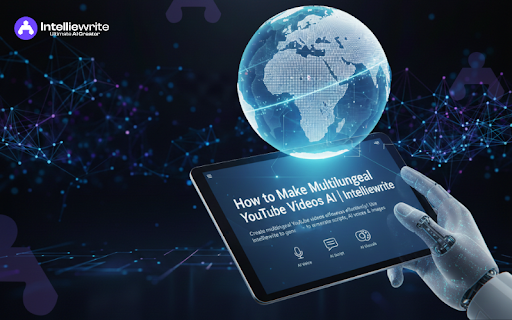
Want to reach a global YouTube audience without extra cost or effort? Creating YouTube videos in multiple languages once required big budgets and long production hours. Not anymore. With AI tools like Intelliewrite, you can instantly generate scripts, AI voiceovers, and visuals to produce professional multilingual YouTube videos—fast and hassle-free.
In this step-by-step guide, you'll learn how to create multilingual YouTube videos using AI and scale your content worldwide with ease. This straightforward approach is designed to help you feel capable and ready to expand your reach efficiently.
Why Multilingual Videos Matter on YouTube
Publishing videos in multiple languages helps you:
- Reach a global audience
- Increase engagement and watch time
- Grow your subscribers and brand visibility
- Make your content accessible to non-English speakers
With AI-powered tools like Intelliewrite, this process becomes efficient and straightforward.
Step 1: Generate Your Video Script With AI
- Generate video scripts in different languages
- Ensure content is SEO-friendly for YouTube
- Save time on manual writing
How it works:
- Enter your topic into it.
- Choose the language(s) you want to create content in.
- Let AI generate a ready-to-use script.
Pro Tip: Provide clear instructions to the AI to produce a natural, engaging script.
Step 2: Convert Script Into AI Voice
Next, convert your script into a professional AI voiceover. Intelliewrite can:
- Generate natural-sounding voices in multiple languages
- Offer different accents and tones
- Match your video's style
Benefits of AI voiceover:
- Save money on professional voice actors
- Maintain consistent quality
- Support multiple languages easily
Step 3: Generate Images or Visuals With AI
Images and visuals make your video engaging. This tool lets you:
- Create keyword-based images automatically
- Generate AI avatars or characters
- Add visuals aligned with your script
This is especially helpful for educational, marketing, or tutorial videos.
Step 4: Combine Script, Voice, and Images
Now it's time to put everything together. This AI tool acts as a text-to-video AI tool, helping you:
- Export professional AI-generated videos
- Create videos for YouTube, social media, or marketing campaigns
Step 5: Publish Your Multilingual Video
Once your video is ready:
- Optimize your title, description, and tags for each language.
- Publish your video on YouTube.
- Use subtitles for extra accessibility.
- Promote your video on social media to expand your reach.
With multilingual AI videos, you can reach viewers worldwide with minimal effort.
Key Features of Intelliewrite for YouTube Video Creation
Top Use Cases of AI Multilingual Videos
- Marketing videos for international audiences
- Tutorials in multiple languages
- Product demos for global customers
- Educational content for students worldwide
- Corporate training videos
Benefits of Using Intelliewrite
- Save time and cost on video production
- Produce consistent and professional videos
- Support a multilingual content strategy
- Improve YouTube engagement and SEO
- Make AI-generated videos easily accessible
Best Keywords for Your Multilingual AI Video
Use these keywords to rank your video and blog:
Primary Keywords: AI YouTube video maker, multilingual YouTube video, AI-generated videos, AI script generator
Secondary Keywords: AI voice generation, AI avatars, AI video editing, AI-powered video
Long-tail Keywords: Create multilingual YouTube videos using AI, step-by-step AI video creation, generate AI videos online, and an AI video platform is free.
FAQ's
1. Can I create multilingual YouTube videos using AI?
Yes. AI tools like Intelliewrite enable you to quickly and easily create multilingual YouTube videos by generating scripts, AI voiceovers, and visuals.
2. How does Intelliewrite help in creating multilingual YouTube videos?
This tool uses AI to generate SEO-friendly scripts, natural-sounding AI voices, and relevant images, making multilingual video creation simple and efficient.
3. Are AI-generated multilingual videos good for YouTube SEO?
Yes. Multilingual AI videos help reach global audiences, improve watch time, and increase engagement, which positively impacts YouTube SEO and discoverability.
4. Can I use AI voiceovers instead of human voice actors?
Absolutely. Intelliewrite offers high-quality AI voice generation with multiple languages and accents, providing a cost-effective alternative to human voice actors.
5. Is Intelliewrite suitable for beginners and non-technical users?
Yes. It is beginner-friendly and requires no scripting, voice recording, or video editing experience to create professional multilingual YouTube videos. This support helps you feel capable and confident, regardless of your technical skills.
Conclusion
Creating multilingual YouTube videos has never been easier. With this AI tool, you can generate scripts, AI voices, and images in minutes. Whether for marketing, education, or tutorials, AI accelerates video production, reduces costs, and delivers professional results.
Start creating your multilingual AI-powered videos today with Intelliewrite!